Crooked

Proced ARMS developer private cheat for Delta Force: Hawk Ops.Easy launch, cheap price and instant activation.Buy and become the best in this game.
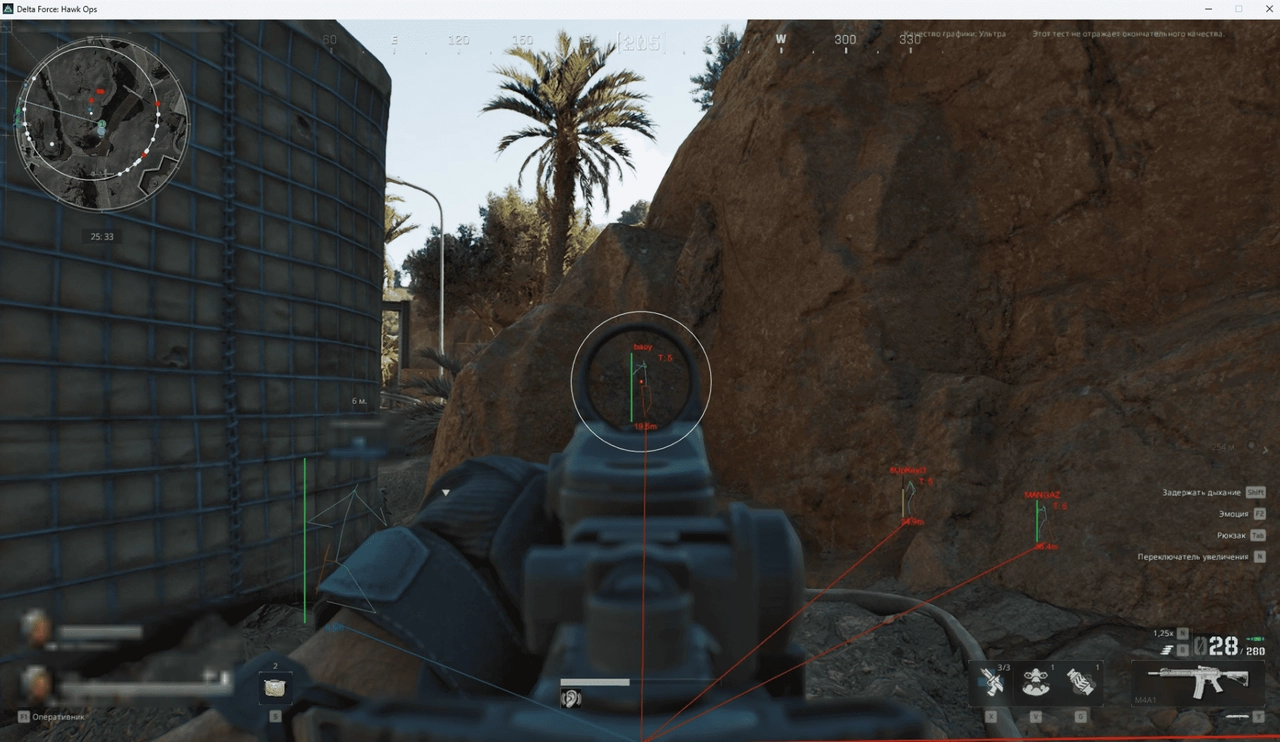
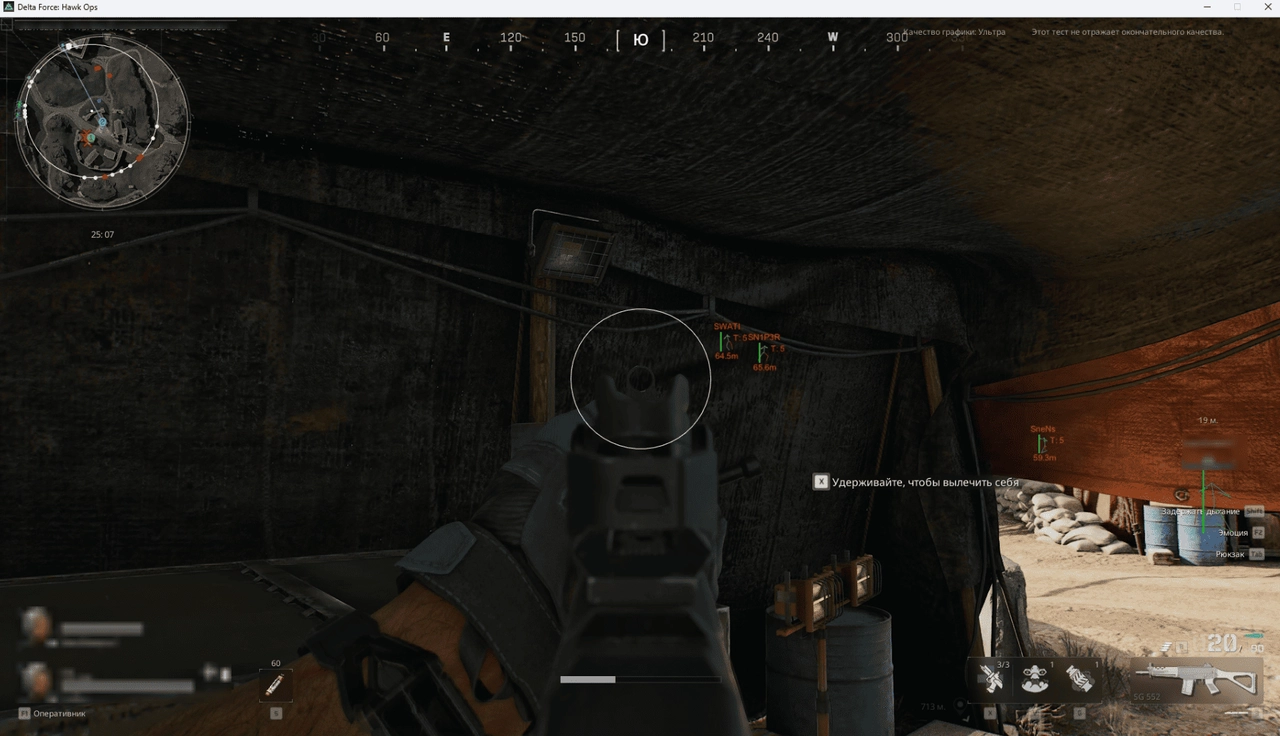
  • PLAYERS
  • Only visible / display only visible players
  • Health / display players' health
  • My Team Players / display commanding allies
  • Name / display the names of the players
  • Team / Display players' team
  • Level / display the level of players
  • Category / display the category of players
  • Weapon in Hands / display weapons in the hands of players
  • Corpse / display dead players
  • Line / display lines to players
  • Box type / Select the type of displayed 2D square around the players
  • Disabled / Disable the display of the 2D square around the players
  • 2D / display 2D square around players
  • 3D / display 3D square around players
  • Skeleton Type: / Select the type of player displayed skeleton
  • Disabled / Disable display
  • Default
  • Health
  • Skeleton line thickness / Set the thickness of the displayed player skeleton
  • Skeleton Display Distance / set the distance of the displayed skeleton of players
  • Distance / set the player display distance
  • Display distance / Display distances to players
  • BOTS
  • Only visible / Display only visible bots
  • Health / display bots health
  • Name / display the names of the bots
  • Level / display the level of bots
  • Category / display the category of bots
  • Weapon in Hands / display weapons in the hands of bots
  • Corpse / display dead bots
  • Line / display lines to bots
  • Box type / Select the type of displayed 2D square around the bots
  • Disabled / Disable the display of the 2D square around the bots
  • 2D / display 2D square around bots
  • 3D / display 3D square around bots
  • Skeleton Type: / Choose the type of display of the skeleton bots
  • Disabled / Disable display
  • Default
  • Health
  • Skeleton Line Thickness / Install the thickness of the displayed skeleton of bots
  • Skeleton Display Distance / set the distance of the displayed bots skeleton
  • Distance / set a distance display distance
  • Display distance / Display distances to bots
  • RADAR
  • Enable radar / Enable radar
  • Show players / Display players on the radar
  • Show Bots / display boots on radar
  • Display distance / Set the radar operating distance
  • Position by X / establish the position of the radar on the X axis
  • Position by Y / Set the radar position along the Y axis
  • Size / set the size of the displayed radar
  • Alpha: / Radara transparency
  • LOOT
  • Open Loot List / Open the Lut sheet (during adding)
  • Dead Boxes / display a box of a dead player / bot
  • Use item Quality Color / use the color of the rarity of the item
  • Use item short name / use short names if possible
  • Maybe we'll add it later**Quest items / Display quest items
  • Loot list sort type:
  • Name / sort a list by name
  • Price / sort the list by price
  • Weapons / display weapons
  • Weapon Accessories / display adapters for weapons
  • Ammo / display cartridges
  • Equipments / display equipment
  • Medical Suppliers / display medicine
  • Provisions / display provisions
  • Keys: / Display keys
  • Other items / display other items
  • Show item price / display the price of the product
  • Limit by Price / limit the price
  • Display Distance / Display distance
  • Aim
  • Enable aimbot / enable Aimbot
  • Visibility Check / check for the visibility of the target for Aimbot
  • Show snapline / Display the aiming line
  • Smoothing (More> Faster) / Set the smoothness of the AIMBOT guidance
  • Show FOV / display the radius of the AIMBOT, circle FOV
  • FOV / Install the radius of the AIMBOT, circle FOV
  • Distance / Set the aimbot's operating distance
  • Bones selection / Selecting a body part for the aimbot to work
  • Head / head
  • Neck / s mother
  • Left elbow / Left elbow
  • Right elbow / Right elbow
  • Body / Body
  • Pelvis / Pelvis
  • Left knee / Left knee
  • Right knee / Right knee
  • Hotkey selection / Set a key to activate the aimbot; for the aimbot to work, the installed key must be pressed and held
  • MISC
  • DRAW CROSSHAIR
  • Show vehicles / display transport
  • Vehicle Health / display the condition of the car
  • Vehicle Display Distance.
  • Crosshair color / Change the color of the crosshair
  • COLORS
  • Change Color if (Players / Bots) IS Visible / Change the color display color of visible players and bots
  • Invisible Players Color / set the color display color of the players is not in the field of view
  • Visible Players / Bots Color / Install the color of display of visible players and bots
  • Players Color / Install player display color
  • Bots Color / Install the color display color
  • Corpses Color / Install the color of the corpse display
  • My Team Players Color / install the color display color
  • KNOCKED Players Color / Install the color display color of the downed players
  • Selected items color
  • Weapons color / install the color of the weapon display
  • Weapon Accessories Color / Install the color display color for weapons
  • Ammo color / install the color of the cartridges display
  • Equipments Color / Install equipment display color
  • Medical Supplies Color / Install the color of the display of medicine
  • Provisions Color / Install Provisions Color
  • Keys color / set the color display color
  • Other items color / set the color display color of all other items
  • SETTINGS
  • Hotkey to Disable Loot / install the key to disable loot
  • Menu Opening HotKey / set the key to open and close the Cheata menu in the game, the default "Home" key is used

    Status

    Risk

    Prices start from

    4,46 $

    System requirements:

    Built -in Pufer No

    Antiti: Ace

    Walking on the record in OBS: No

    Supported game modes: Window

    Supported processors: Intel and AMD

    Supported systems: Windows 10, Windows 11